Stop Using locator() for Everything in Playwright
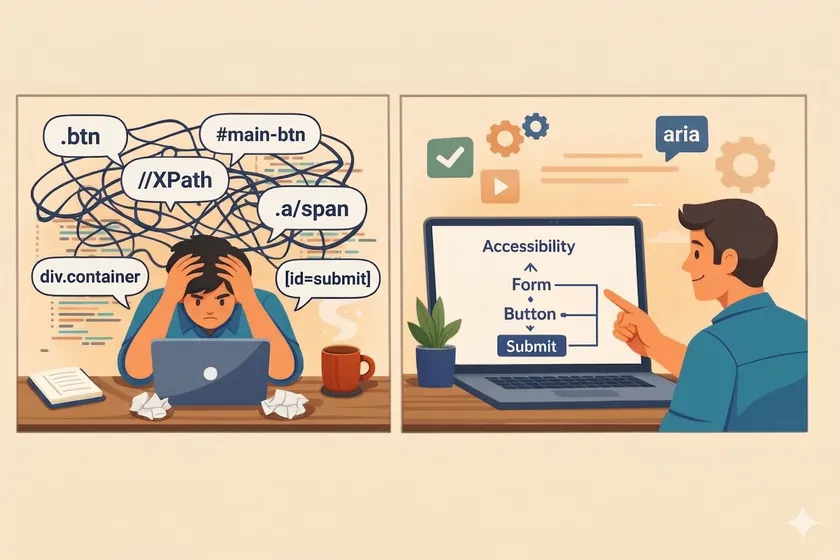
Table of Contents
I review test automation code for a living. The single most common pattern I see in Playwright codebases — especially from teams that migrated from Selenium — is page.locator('.btn-submit') everywhere. CSS selectors, data attributes, XPaths, all piped through locator(). The Playwright docs are right there. getByRole, getByText, getByLabel, getByTestId — purpose-built methods that find elements the way a user would. But old habits die hard.
The Selenium Muscle Memory Problem
This isn’t a knowledge problem. Most teams know getByRole exists. It’s a muscle memory problem. If you spent 5+ years writing By.id(), By.cssSelector(), and By.xpath() in Selenium, your brain defaults to the same pattern in Playwright. You reach for locator() with a CSS selector because that’s what “finding an element” means to you.
I’ve seen this play out at three different enterprises in the last year alone. Teams migrate from Selenium to Playwright, run through the getting-started docs, and then immediately start writing:
// The Selenium mindset in Playwright clothesasync login(username: string, password: string) { await this.page.locator('#username').fill(username); await this.page.locator('#password').fill(password); await this.page.locator('.btn-login').click();}This works. It passes. But it’s fragile for the same reasons your Selenium selectors were fragile — you’ve coupled your test to implementation details that change with every UI refactor. I covered this broader problem in why text-based selectors outlast CSS classes: when your locator depends on a class name or ID, every frontend commit is a potential test-breaking event.
What the same code looks like with semantic locators
// How Playwright wants you to find elementsasync login(username: string, password: string) { await this.page.getByLabel('Username').fill(username); await this.page.getByLabel('Password').fill(password); await this.page.getByRole('button', { name: 'Log in' }).click();}No CSS selectors. No IDs. No fragile coupling. These locators survive a complete redesign as long as the labels and button text stay the same — and if those change, your test should break, because that’s a user-facing change worth verifying.
Why getByRole Is More Than Syntactic Sugar
The getByRole method isn’t just a prettier way to find elements. It queries the accessibility tree, not the DOM. That distinction matters more than most teams realize.
It catches accessibility regressions for free
When you use getByRole('button', { name: 'Submit' }), Playwright checks that the element is actually exposed as a button to assistive technology. If someone replaces a <button> with a styled <div onclick="...">, your test fails — not because the click doesn’t work, but because the element isn’t a button in the accessibility tree anymore. That’s a real accessibility regression your CSS selector would have missed.
// This passes even if the button is a styled divawait page.locator('.submit-btn').click();
// This fails if the element isn't actually a button roleawait page.getByRole('button', { name: 'Place order' }).click();It matches how your users actually navigate
Screen readers, keyboard navigation, and automated accessibility tools all use the same role-based model. When you write getByRole('textbox', { name: 'Email' }), your test is doing exactly what a screen reader does: looking for an input labeled “Email.” If that works for your test, it works for your users.
When to Use Which Locator
Playwright gives you a hierarchy of locator methods. Here’s the decision framework I use after reviewing dozens of enterprise codebases:
Tier 1: Semantic locators (use by default)
| Method | When to use | Example |
|---|---|---|
getByRole | Buttons, links, headings, checkboxes, inputs with visible labels | getByRole('button', { name: 'Save' }) |
getByLabel | Form fields with associated <label> elements | getByLabel('Email address') |
getByText | Static text, paragraphs, error messages, non-interactive content | getByText('Order confirmed') |
getByPlaceholder | Inputs without visible labels (fix the a11y, but this works meanwhile) | getByPlaceholder('Search...') |
Tier 2: Test IDs (when semantics aren’t enough)
| Method | When to use | Example |
|---|---|---|
getByTestId | Complex components with no unique text, dynamic lists, canvas elements | getByTestId('transaction-row-5') |
Tier 3: CSS/XPath via locator() (last resort)
| Method | When to use | Example |
|---|---|---|
locator() | Third-party widgets you can’t modify, shadow DOM, nth-child patterns | locator('.ag-grid-row >> nth=0') |
The Migration Pattern I Recommend
You don’t need to rewrite everything at once. Here’s the approach I’ve used on three enterprise Playwright migrations — as I described in moving from Selenium wrappers to Playwright locators, the key is incremental adoption, not a big-bang rewrite.
Step 1: New tests use semantic locators only
Set a team rule: any new test or page object method must use getByRole, getByLabel, or getByText first. Only fall back to locator() if you can explain why the semantic approach doesn’t work.
Step 2: Refactor on touch
When you modify an existing test for any reason — fixing a bug, updating a flow, adding an assertion — convert its locators at the same time. Don’t create separate “locator migration” tickets. Spread the work across normal development.
Step 3: Audit the remaining locator() calls
After a month, grep your codebase:
grep -rn "page\.locator(" tests/ | wc -lgrep -rn "page\.getBy" tests/ | wc -lTrack the ratio over time. On one project, we went from 85% locator() to 30% in six weeks without any dedicated migration sprint. The remaining 30% were legitimate uses — third-party widgets, complex grid components, and a few shadow DOM edge cases.
The Real Test: What Happens During a Redesign
The argument for semantic locators isn’t theoretical. I watched it play out at a large financial services company during a design system migration. The frontend team replaced their custom component library with a new one over a 3-week sprint. Every CSS class changed. Every data-attribute prefix changed. The DOM structure of most components changed.
The result on our 600-test Playwright suite:
- Tests using
locator()with CSS selectors: 73% broke. Two engineers spent 4 days updating selectors. - Tests using
getByRole/getByLabel/getByText: 8% broke — and every one of those was a genuine user-facing change (button text changed, a label was reworded).
That’s not a subtle difference. That’s the difference between “the test suite is a burden” and “the test suite caught real issues.”
What About Performance?
I hear this objection occasionally: “CSS selectors are faster than accessibility tree queries.” It’s technically true — DOM queries are faster than accessibility tree traversal. But in practice, the difference is 1-3ms per locator call. On a 500-test suite, that adds up to maybe 2 seconds total. You’ll save more time in a single morning of not debugging broken CSS selectors than you’ll lose to accessibility tree queries in a year of test runs.
The Gotcha That Trips Up Every Team: Partial Text Matching
Here’s something the Playwright docs mention but most teams miss until it costs them a debugging session. By default, getByRole and getByText use substring matching. If your page has both a “Log in” button and a “Log in with Google” button, getByRole('button', { name: 'Log in' }) matches both — and Playwright throws a strict mode violation because it found multiple elements.
I’ve seen this burn teams hard on pages with repetitive button labels — think an admin dashboard with 12 “Edit” buttons across different table rows. The fix is the exact option:
// Fails: matches "Edit", "Edit user", "Edit permissions"await page.getByRole('button', { name: 'Edit' }).click();
// Works: matches only buttons with exactly "Edit"await page.getByRole('button', { name: 'Edit', exact: true }).click();
When exact: true still isn’t enough — like those 12 identical “Edit” buttons — scope the locator to a parent container. This is the one pattern where chaining locator() with getByRole makes sense: page.locator('[data-testid="users-table"]').getByRole('button', { name: 'Edit' }). You get the semantic benefits of getByRole with just enough DOM context to disambiguate. This chained approach is especially useful in data-heavy enterprise apps where managing test data properly can also help reduce ambiguity in your selectors.
Is getByRole slower than locator() with CSS selectors?
Technically yes by 1-3ms per call, but the difference is negligible at scale. A 500-test suite adds roughly 2 seconds total. You save far more time avoiding brittle selector maintenance.
When should I still use locator()?
Third-party widgets you can’t modify, shadow DOM boundaries, complex grid components like ag-Grid, and nth-child patterns where no semantic identifier exists. If you can explain why getByRole doesn’t work, locator() is fine.
Should I use data-testid on everything instead?
No. data-testid is better than CSS classes but worse than getByRole because it still requires developer effort to add and maintain. Use getByRole first, getByTestId when semantic locators genuinely can’t distinguish the element.
Does getByRole work with custom web components?
Yes, if the component exposes proper ARIA roles. If it doesn’t, that’s an accessibility bug worth fixing. Use getByTestId as a workaround while the component team adds proper roles.
One Action You Can Take Today
Open your Playwright codebase, pick one page object, and replace every locator() call with its semantic equivalent. getByRole for buttons and links, getByLabel for form fields, getByText for static content. Run the tests. If they pass, you just made that page object redesign-proof. If they fail, you just found an accessibility gap your users have been hitting too.
Don't miss a thing
Subscribe to get updates straight to your inbox.

No spam · Unsubscribe anytime