From Selenium Wrappers to Playwright Locators
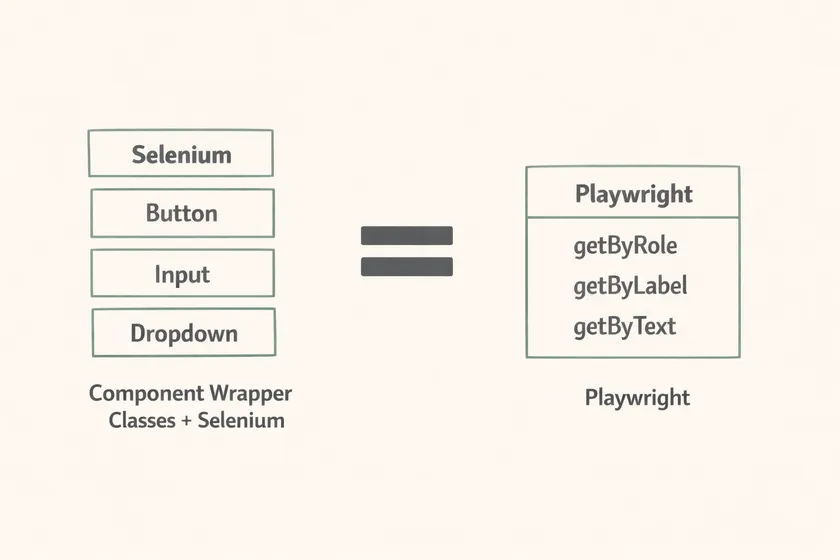
Table of Contents
🔧 The Wrapper Class Era
With Selenium, we used to create wrapper classes for every UI element. Buttons, inputs, dropdowns, checkboxes — each got its own class with custom methods, error handling, and retry logic.
Button button = new Button("Submit");button.click();
Input email = new Input("Email");email.type("test@example.com");
Every element got its own class — and it was genuinely useful.
The idea was simple: instead of wasting time inspecting the DOM for IDs, XPaths, or CSS selectors, we could locate elements the same way a user does — by reading the text on the screen. Button("Submit") mirrors how a human interacts with the UI. No DevTools needed. It is the same principle behind using text to locate elements instead of chasing brittle implementation details.
To be clear — these wrappers solve a specific problem: how we locate elements. Instead of inspecting the DOM for IDs or XPaths, we find elements the way a user sees the page:
// Instead of thisdriver.findElement(By.id("btn-submit-form")).click()
// We write thisButton("Submit").click()
It eliminates time spent in DevTools and lets anyone write tests by just looking at the UI. No hunting through HTML source for the right selector. You see “Submit” on the screen, you write Button("Submit"). Done.
These wrappers made tests readable, faster to write, and more stable — visible text changes far less often than generated CSS classes or dynamic IDs.
🎭 Enter Playwright — Proof We Were Right
When Playwright launched its locator API, something clicked: they built exactly what we had been building by hand.
page.getByRole("button", { name: "Submit" }).click();page.getByLabel("Email").fill("test@example.com");Look familiar? getByRole, getByLabel, getByText — these are the same patterns we implemented in our Selenium wrapper classes. The philosophy is identical: locate elements the way a user sees them, not the way the DOM structures them.
The fact that Playwright made this their entire locator strategy validates what we were doing with Selenium all along. We weren’t over-engineering — we were ahead of the curve. The framework just hadn’t caught up yet.
The difference now is that Playwright ships these patterns built-in, maintained by a dedicated team, with auto-waiting and retry logic baked in. What took us weeks to build and maintain comes free out of the box. If you’ve ever debugged XPath text matching failures caused by text() vs dot notation, the shift toward user-facing locators feels obvious in hindsight.
Side-by-Side Comparison
Here’s what the migration looks like in practice:
🖱️ Click a Button
// Selenium + wrapperButton("Submit").click()// PlaywrightgetByRole("button", { name: "Submit" }).click()✏️ Fill an Input
// Selenium + wrapperInput("Email").type("test@example.com")// PlaywrightgetByLabel("Email").fill("test@example.com")📋 Select a Dropdown
// Selenium + wrapperDropdown("Country").select("US")// PlaywrightgetByLabel("Country").selectOption("US")☑️ Check a Checkbox
// Selenium + wrapperCheckbox("Agree").check()// PlaywrightgetByRole("checkbox", { name: "Agree" }).check()Notice the pattern? Every Playwright locator maps directly to what our Selenium wrappers already did. We were writing Button("Submit").click() years before Playwright gave us getByRole("button", { name: "Submit" }).click(). The raw Selenium API — driver.findElement(By.id("...")).click() — tells you nothing about what you’re clicking. Our wrappers added that missing semantics. Playwright just made it official.
⚠️ When Wrappers Still Make Sense
Wrapper classes aren’t dead. Complex components like a DataTable — with thead, tbody, rows, and columns — still deserve their own class. Playwright won’t magically parse a table for you.
class DataTable {  constructor(private page: Page, private selector: string) {}
  async getRowCount(): Promise<number> {    return this.page.locator(`${this.selector} tbody tr`).count();  }
  async getCellValue(row: number, col: number): Promise<string> {    return this.page      .locator(`${this.selector} tbody tr`)      .nth(row)      .locator("td")      .nth(col)      .innerText();  }
  async getHeaderNames(): Promise<string[]> {    return this.page.locator(`${this.selector} thead th`).allInnerTexts();  }}
The rule of thumb: if you’re wrapping a single native element (button, input, checkbox), Playwright already has you covered. If you’re wrapping a composite component with its own internal structure and query patterns, a wrapper class still earns its place.
✨ What We Learned from the Migration
When we moved to Playwright, we built our new framework from scratch. 90% of the wrapper classes we used to write? Gone — not because they were wrong, but because Playwright absorbed them into its core API. The remaining 10%? Still worth it for complex components.
The biggest takeaway: our Selenium wrapper approach was the right idea all along. We identified that tests should find elements the way users do — by text, by label, by role — and we built tooling to make that possible. Playwright’s team independently reached the same conclusion and made it the default.
The lesson isn’t “don’t build abstractions.” It’s that good abstractions sometimes become features in the next generation of tooling. If your wrapper classes are solving a problem that every team faces, there’s a good chance the framework will eventually ship it built-in.
We weren’t over-engineering. We were just early.
Don't miss a thing
Subscribe to get updates straight to your inbox.

No spam · Unsubscribe anytime