The Browser Errors Your Test Suite Never Catches
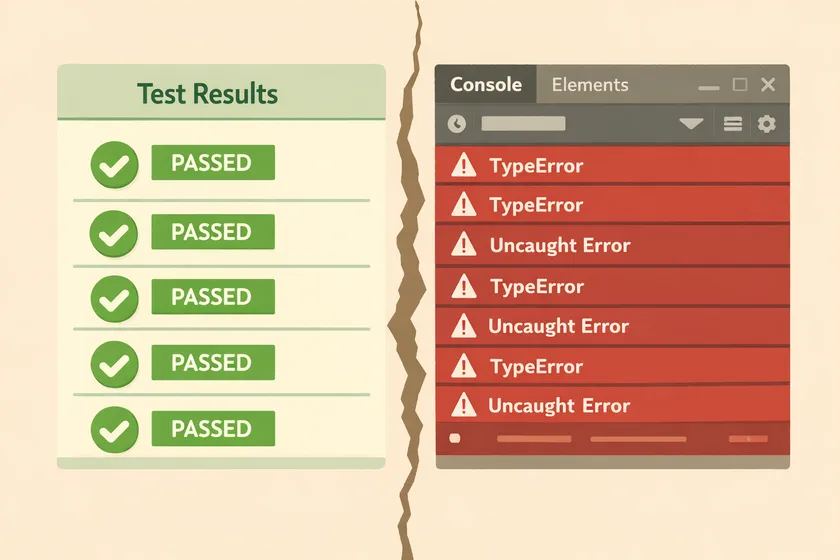
Table of Contents
Your test suite is green. The pipeline passed. Everyone’s happy. But open your browser’s DevTools console during any of those test runs, and there’s a good chance it’s full of red — uncaught JavaScript exceptions, console errors, and page errors that nobody’s looking at.
I’ve built automation frameworks at multiple enterprise clients over the past decade, and I’ll say this plainly: most test suites completely ignore browser-level errors. They assert that buttons are clickable, text is visible, and pages load — but they never check whether the application is quietly falling apart underneath.
Green Tests, Red Console — A Gap Most SDETs Miss
Here’s why this gap exists: test frameworks don’t listen for JavaScript errors by default. Selenium doesn’t. Playwright doesn’t either — you have to wire it up yourself. Your assertions pass because the element was visible — but the click handler behind that button threw an uncaught TypeError that broke the form submission. Your test doesn’t know. Your user will.
JavaScript errors and page errors during test execution are signals. They tell you:
- A click handler failed silently — the button “worked” visually but the underlying logic threw an exception
- An API call triggered a console error the frontend logged but never surfaced to the user
- A third-party script crashed — analytics, chat widgets, A/B testing libraries
- A missing resource — a JS or CSS file that failed to load, degrading functionality
- A state management bug — especially in SPAs where one error can cascade through the entire app
If you’ve ever had a bug reach production where the QA team said “but all our tests passed,” I’d bet the browser console had the answer the whole time. This is exactly the kind of blind spot I wrote about in Your Green Test Suite Is Hiding Real Bugs — functional assertions alone aren’t enough.
Catching Browser Errors in Selenium (Java)
Selenium gives you access to browser logs through the LogType.BROWSER API. But it won’t work out of the box — you need to enable log collection in your capabilities first.
ChromeOptions options = new ChromeOptions();LoggingPreferences logPrefs = new LoggingPreferences();logPrefs.enable(LogType.BROWSER, Level.ALL);options.setCapability("goog:loggingPrefs", logPrefs);WebDriver driver = new ChromeDriver(options);Without that goog:loggingPrefs capability, driver.manage().logs().get(LogType.BROWSER) returns nothing. This is the step most tutorials skip.
Once logging is enabled, pull the logs after each test:
public class BrowserLogChecker {
    public static List<LogEntry> getJsErrors(WebDriver driver) {        LogEntries logEntries = driver.manage().logs().get(LogType.BROWSER);        return logEntries.getAll().stream()            // SEVERE level captures uncaught exceptions            // and console.error() calls            .filter(entry -> entry.getLevel() == Level.SEVERE)            .filter(entry -> !isKnownThirdPartyNoise(entry.getMessage()))            .collect(Collectors.toList());    }
    private static boolean isKnownThirdPartyNoise(String message) {        return message.contains("googletagmanager")            || message.contains("hotjar");    }}
Then in your base test teardown:
@AfterMethodpublic void checkBrowserErrors() { List<LogEntry> errors = BrowserLogChecker.getJsErrors(driver); if (!errors.isEmpty()) { String errorMessages = errors.stream() .map(LogEntry::getMessage) .collect(Collectors.joining("\n")); fail("JavaScript errors detected:\n" + errorMessages); }}The Noise Problem
Enterprise web apps are noisy. Third-party scripts throw errors constantly — ad trackers, analytics, chat widgets. You need a filter strategy from day one. I keep a known-noise.properties file that the team maintains. When a new third-party error shows up, we investigate it once, and if it’s not ours, we add it to the filter.
The important thing is: filter the noise, don’t turn off the signal. I’ve seen teams disable browser error checking entirely because “there were too many false positives.” That’s like disabling your smoke alarm because it goes off when you cook.
Catching Page Errors in Playwright (Java)
Playwright’s approach is cleaner — it uses event listeners instead of log polling. You register handlers for pageError (uncaught exceptions) and consoleMessage (console.error calls) and they fire in real time.
public class PageErrorCollector {    private final List<String> pageErrors = new ArrayList<>();    private final List<String> consoleErrors = new ArrayList<>();
    public void attachTo(Page page) {        page.onPageError(error -> {            pageErrors.add(error);        });
        page.onConsoleMessage(msg -> {            if ("error".equals(msg.type())) {                consoleErrors.add(msg.text());            }        });    }
    public List<String> getAllErrors() {        List<String> all = new ArrayList<>(pageErrors);        all.addAll(consoleErrors);        return all;    }}
Wire it into your base test:
@BeforeMethodpublic void setUp() {    page = browser.newPage();    errorCollector = new PageErrorCollector();    errorCollector.attachTo(page);}
@AfterMethodpublic void checkPageErrors() {    List<String> errors = errorCollector.getAllErrors();    if (!errors.isEmpty()) {        fail("Browser errors detected:\n"            + String.join("\n", errors));    }}
If you’re migrating from Selenium to Playwright, this event-driven model is one of the ergonomic wins — no more polling logs, no browser-specific quirks. I covered more of these migration patterns in From Selenium Wrappers to Playwright Locators.
Fail Hard, Then Whitelist
Here’s where I’ll give you an opinion most teams won’t agree with initially: fail the test on any browser error by default.
Yes, this means you’ll get failures that aren’t “yours.” Yes, the first week will be noisy. But here’s what happens after that first week:
- You discover JavaScript errors in your own application that nobody knew about
- You build a whitelist of third-party noise that the team consciously acknowledges
- You establish a culture where browser errors are treated as real bugs — because they are
The alternative — logging errors and hoping someone reads the logs — doesn’t work. I’ve never seen a team consistently review console error logs from test runs. If it doesn’t fail the build, it doesn’t get fixed.
When to Soften the Approach
There are legitimate cases to downgrade from “fail” to “warn”:
- Third-party scripts you can’t control — add them to a whitelist with a comment explaining why
- Known framework noise — Angular and React can emit benign errors during development mode or hot-reload that aren’t actual bugs
- Legacy applications — if you’re adding error checking to a mature app, start in warning mode, triage the backlog, then switch to fail mode
But the default should always be fail, not warn. It’s much easier to add an exception than to remember to check a log file.
Start Today
Add a page error listener or browser log check to your base test class before your next commit. Don’t filter anything yet. Run your suite once and look at what comes back.
I guarantee you’ll find at least one real issue that your assertions have been missing. It’s a small utility class — under 30 lines plus your filtering rules — and it turns your test suite from “checks what’s visible” into “checks what’s actually happening.” That’s a fundamentally different level of coverage — and it’s the kind of detail that separates a test suite that catches bugs from one that just confirms happy paths.
Don't miss a thing
Subscribe to get updates straight to your inbox.

No spam · Unsubscribe anytime