Your Green Test Suite Is Hiding Real Bugs
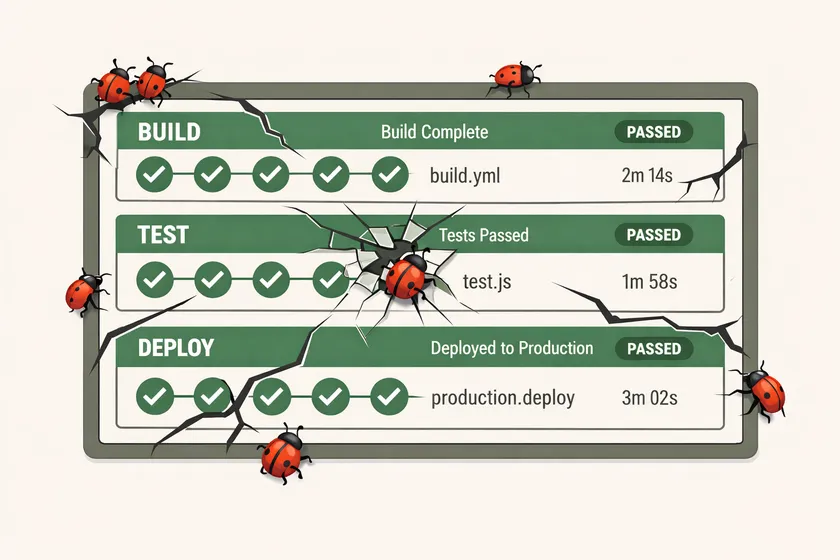
Table of Contents
A green pipeline doesn’t mean your application works. It means your tests passed — and those are two very different things. I’ve watched teams ship critical bugs to production with a perfectly green CI dashboard, because someone along the way decided to make the test pass instead of fixing the actual problem.
This isn’t a theoretical concern. Over 10+ years in enterprise QA, I’ve seen five specific patterns that turn your test suite into a liar. Each one starts as a “quick fix” and ends with a bug in production that your tests were supposed to catch.
What happens when you make a failing test pass instead of fixing the bug?
A false green erodes team trust in the test suite and lets real bugs ship to production undetected. Every suppressed failure compounds — within months, nobody on the team trusts the results, and the suite becomes noise that everyone ignores.
When a test genuinely catches a bug, you have a choice: investigate and fix the root cause, or make the test shut up. The second option is faster. It clears the pipeline. It unblocks the sprint. And it’s one of the most dangerous things you can do to a codebase.
First, one test gets “fixed” by working around the symptom. Then two. Then twenty. Six months later, nobody on the team trusts the suite anymore, so they stop paying attention to failures altogether. I’ve seen this cycle play out at three different enterprise clients, and the recovery always takes longer than the shortcuts saved.
Here are the five patterns I’ve seen do the most damage.
1. Handling Alerts That Shouldn’t Exist
This one is subtle because it looks like good test automation practice. An unexpected alert dialog pops up during a test run. The test fails. A developer adds a dialog handler to dismiss it, the test goes green, and everyone moves on.
But here’s the question nobody asked: why is that alert appearing in the first place?
// The "fix" that hides the bug@BeforeMethodpublic void dismissUnexpectedAlerts() {    driver.switchTo().alert().accept(); // Why is this alert here?}
@Testpublic void testUserLogin() {    loginPage.login("testuser", "password123");    assertTrue(dashboardPage.isLoaded());}
At one client, we had a session timeout alert firing on login because a backend service was returning stale tokens. The test team added a global alert handler, and the test went green. Meanwhile, real users were seeing that same alert in production — a jarring popup telling them their session expired before it even started. It took three weeks for a customer support ticket to surface what the test had already detected and then deliberately silenced.
If your test encounters a dialog you didn’t expect, that dialog IS the bug. Don’t handle it — fail loudly and investigate. I wrote about the mechanics of alert handling in how Selenium’s alert handling crashed our parallel suite and the Playwright side in onceDialog vs onDialog patterns. Those posts cover how to handle dialogs correctly — this post is about when you shouldn’t handle them at all.
2. Why is deleting assertions the most dangerous testing shortcut?
Removing assertions to make a test pass is the most indefensible pattern on this list because it silently converts a real test into a no-op — the test runs, reports green, but validates nothing meaningful. I’ve seen it happen at two different companies. A test fails because an assertion catches a real discrepancy. Instead of fixing the code or updating the expectation, someone deletes the assertion.
@Testpublic void testCheckoutFlow() {    cartPage.addItem("Widget Pro");    cartPage.proceedToCheckout();    checkoutPage.enterPaymentDetails(validCard);    checkoutPage.submitOrder();
    // Someone deleted these because they "kept failing"    // assertEquals(confirmationPage.getTotal(), "$49.99");    // assertTrue(confirmationPage.hasOrderNumber());
    // All that's left:    assertTrue(confirmationPage.isDisplayed());}
This test now verifies exactly one thing: that a page rendered. It doesn’t check the order total. It doesn’t check that an order number was generated. It’s a navigation test pretending to be a checkout test. A pricing bug, a failed payment processor call, a missing order record — all invisible.
The worst part? In code review, a deleted assertion is just a removed line. It doesn’t trigger any alarm. Nobody writes a comment saying “I removed this because it was failing.” The context vanishes with the git blame.
How to Catch This
Make assertion count part of your test review process. If a test named testCheckoutFlow has zero assertions about checkout behavior, something is wrong. Some teams I’ve worked with add a simple rule: every test method must contain at least one assertion that validates business logic, not just page presence.
3. Can increasing test retries hide real bugs?
Yes — and it’s the most socially acceptable pattern on this list, which is exactly what makes it dangerous. Retries mask intermittent failures by rolling the dice again instead of investigating the root cause, whether that’s a race condition, a timing issue, or an actual application bug.
A test fails intermittently. Someone adds retries: 2. The test starts passing. Sprint velocity stays on track. Everyone’s happy. But that test is still failing on the first attempt. Something is wrong — and the retry just hopes for a better outcome on the next roll.
export default defineConfig({ // "Fixed" flaky tests by adding retries retries: 3, // Was 0, then 1, then 2, now 3... use: { baseURL: 'https://staging.example.com', },});I watched one team gradually increase their global retry count from 0 to 3 over six months. Each bump “fixed” a batch of flaky tests. By the end, nobody on the team knew which tests were actually stable. The bugs were still there — they just stopped hearing about them.
The Escalation Pattern
Watch for this timeline on your team:
- Test fails intermittently → add 1 retry
- Still flaky → bump to 2 retries
- New tests start flaking → bump to 3 retries globally
- Pipeline takes 40 minutes now → nobody touches retry config because “it works”
- Real bugs ship to production → “but all tests passed”
If your retry count has only ever gone up, you have a systemic problem that retries are masking.
4. How do try-catch blocks around assertions hide test failures?
Wrapping assertions in try-catch blocks with empty or log-only catch handlers turns those assertions into no-ops — the test goes through the motions of checking something, but the catch block guarantees a green result regardless of the outcome.
This pattern is rampant in Java-based test frameworks. A test step throws an exception — maybe an element wasn’t found, a timeout occurred, or an API returned an error. Instead of letting the exception propagate and fail the test, someone wraps it in a try-catch with a log statement that nobody reads.
@Testpublic void testProfileUpdate() { profilePage.navigate(); profilePage.updateDisplayName("New Name"); try { assertEquals(profilePage.getDisplayName(), "New Name"); } catch (AssertionError e) { logger.warn("Display name check skipped: " + e.getMessage()); } // Test "passes" regardless of whether the update worked}I’ve seen this in frameworks where a “utility method” wraps all assertions in try-catch to “prevent test interruption.” The entire suite becomes a no-op — hundreds of tests executing steps without ever validating outcomes.
A Variation: The Soft Assert Trap
Soft assertions (collecting failures and reporting them at the end) are a legitimate pattern. But I’ve seen teams configure soft asserts and then forget to call assertAll() at the end of the test:
@Testpublic void testOrderDetails() { SoftAssert soft = new SoftAssert(); soft.assertEquals(orderPage.getStatus(), "Confirmed"); soft.assertEquals(orderPage.getTotal(), "$49.99"); soft.assertTrue(orderPage.hasTrackingNumber()); // Missing: soft.assertAll(); — none of the above matter}Three assertions, zero enforcement. The test passes even if every single check fails.
5. What happens when tests assert on the wrong thing?
The test appears to have proper validation but checks something that can never meaningfully fail — like an HTTP status code without the response body, or page presence without verifying actual data. These tests pass even when the feature is broken.
The most common version: checking an HTTP status code without validating the response body.
@Testpublic void testCreateUser() {    Response response = apiClient.post("/users", newUserPayload);
    // This passes even when the API returns an error    assertEquals(response.getStatusCode(), 200);    // Never checks: response.body().path("id") is not null    // Never checks: response.body().path("email") matches input}
Many APIs return 200 with an error payload instead of using proper HTTP status codes. If your test only checks the status code, it’ll pass even when the API says {"error": "email_already_exists", "user": null}. The test is green. The user was never created.
I’ve seen this same pattern with UI tests that assert on page titles or generic success banners instead of the actual data:
@Testpublic void testProductSearch() {    searchPage.search("wireless keyboard");
    // This passes even if search returns wrong results    assertTrue(resultsPage.hasResults()); // Just checks count > 0    // Never checks: results actually contain "wireless keyboard"}
The search could return completely unrelated products and this test would pass. It’s verifying that the search feature runs, not that it works correctly. As I covered in what makes a good test, a test that can’t fail for meaningful reasons isn’t protecting you from anything.
How do you find hidden bug-suppression patterns in your test suite?
Run a targeted code search across your test codebase looking for empty catch blocks, commented-out assertions, try-catch wrappers around assertions, and escalating retry configs. These four searches will surface the most common suppression patterns in minutes.
If any of these patterns sound familiar, here’s a concrete audit you can run this week:
Search for Suppression Patterns
# Find empty catch blocksgrep -rn "catch.*{" --include="*.java" -A1 | grep -B1 "}"
# Find commented-out assertionsgrep -rn "// .*assert" --include="*.java"
# Find try-catch around assertionsgrep -rn "try" --include="*.java" -A3 | grep "assert"
# Check retry configgrep -rn "retries" --include="*.config.*"
Establish Team Rules
These three rules would have prevented every example in this post:
- No global exception handlers or dialog dismissers — if something unexpected happens, the test fails
- Every test must assert business logic — page presence alone is never sufficient
- Every retry triggers an investigation — tracked in your issue tracker, not ignored
The point isn’t to ban retries or try-catch blocks. They have legitimate uses. The point is that each one should be a conscious decision with documented reasoning, not a reflexive shortcut to make the pipeline green.
Stop Making Tests Pass — Start Making Them Honest
A test suite that lies to you is worse than no test suite at all. At least with no tests, you know you’re flying blind. A false green gives you confidence where none is warranted — and that confidence ships bugs.
The next time a test fails, resist the urge to make it pass. Instead, ask: is this test telling me something important? Nine times out of ten, it is.
Your one action for today: pick one of the grep commands from the audit section above. Run it against your test codebase. If you find even one instance of these patterns, you’ve found a place where bugs are hiding behind a green checkmark.
How do you know if your test suite is hiding bugs?
Search your codebase for empty catch blocks around assertions, commented-out assertions, global alert/dialog dismissers, and escalating retry counts. These are the most common suppression patterns. If your retry config has only ever gone up, or if tests named after business flows only check page presence, your suite is likely masking real failures.
Are test retries always bad?
No. Retries are a legitimate tool for handling genuine infrastructure flakiness like network blips or CI resource contention. The problem is when retries are added without investigating the root cause. Every retry addition should trigger an investigation ticket. If you’re retrying and never investigating, you’re hiding bugs with extra compute.
What is a false green in test automation?
A false green is when a test reports a passing result even though the feature it’s supposed to validate is actually broken. This happens through patterns like swallowing exceptions in try-catch blocks, deleting assertions that were failing, dismissing unexpected dialogs instead of investigating them, or asserting on superficial properties like page presence instead of business logic.
How should teams handle flaky tests instead of adding retries?
Treat every flaky test as a potential bug. When a test fails intermittently, open an investigation ticket before adding a retry. Look for race conditions, timing issues, resource leaks, or shared mutable state. Fix the root cause, then remove the retry. Teams that skip this step end up with suites where nobody knows which tests are actually stable.
Don't miss a thing
Subscribe to get updates straight to your inbox.

No spam · Unsubscribe anytime