Trivy and Grype Miss Chromium in Playwright Docker Images
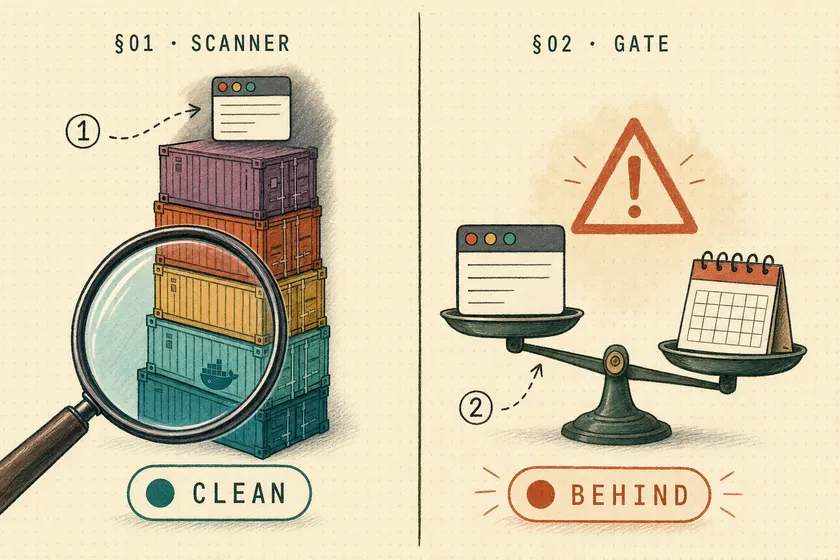
Table of Contents
One image tag, two scans about ten days apart. On October 27, someone’s scanner flagged 245 Chrome CVEs, 24 of them critical, in mcr.microsoft.com/playwright:v1.64.1-noble (#43664). In early November, I used Trivy 0.76.2 and Grype 0.121.2 to scan that Playwright Docker image for vulnerabilities, and neither one found Chromium in it at all. In between, the tag had been rebuilt with a different Chrome and a different Node.js major version.
So a clean scan tells you little about the browser, and the tag doesn’t tell you what you’re running. That matters more now that AI agents drive the browser. A test runner loads your app. An agent built on Playwright MCP loads whatever page the task leads it to. The fix is a CI gate with three checks: browser freshness, scanner findings with a known fix, and npm provenance.
Why does an agent’s browser need patching at all?
For a test suite that only loads your own app, a stale browser is low risk, and Playwright’s maintainers say so directly. For an agent that browses pages you don’t control, the same browser is exposed to untrusted content, the same content that can hijack your Playwright agent through prompt injection. Playwright’s position is that this needs isolation stronger than a patched browser.
Pavel Feldman, a Playwright maintainer, put it plainly in April (#39574):
We assume that the browsers downloaded with Playwright are used for first party content and are not serving a security boundary. Once you target untrusted content, you should secure your system with a VM, even if Chrome you are using does not suffer from any CVEs.
On an earlier report about the Docker image itself, he wrote that the containers follow “but [do] not match the Chrome security update channel”, and asked people not to use them outside development (#37486). That’s a fair policy for a testing tool. If your agent reuses the test image, it breaks both halves of that policy: it visits third-party pages, and nothing stronger than a container sits around it.
Nothing in this post replaces the VM. The gate only makes sure that when you do put an agent in front of untrusted content, its browser is current.
What’s actually inside the Playwright Docker image tag?
The contents change after release. v1.64.1-noble has been built at least three times, and each build shipped a different Node.js or Chrome:
| Build | Node.js | Chromium | Source |
|---|---|---|---|
| Oct 14 (release) | 24.21.0 | 156.0.8078.4 | #43581, #43664 |
| Oct 23 (Node CVE rebuild) | 24.22.1 | not reported | #43581 comments |
| Nov 1 (what I pulled) | 26.13.0 | 156.0.8078.80 (Chrome for Testing) | my pull, below |
Two changes landed in that rebuild. PR #43748 moved the Dockerfiles to Node.js 26, and PR #43679 made the build resolve the latest stable Chrome for Testing at build time, which was the fix for the CVE report. On November 5, a maintainer reverted #43679 on main (#43918), so image builds go back to the Chromium listed in browsers.json. The patched Chrome in today’s v1.64.1 tag came from a build change that’s no longer on main, so don’t count on the next rebuild doing the same. And a tag you pinned in October now gives you a different Node.js major version.
docker run --rm --platform linux/amd64 mcr.microsoft.com/playwright:v1.64.1-noble \ sh -c 'node --version; /ms-playwright/chromium-*/chrome-linux64/chrome --version'# v26.13.0# Google Chrome for Testing 156.0.8078.80Here’s the second surprise. The npm package didn’t change. Running npx playwright install chromium with playwright@1.64.1 still downloads Chrome Headless Shell 156.0.8078.4 (playwright chromium-headless-shell v1248). Both installs put the browser in a folder named chromium-1248, but the binaries inside are different builds. If your CI runs tests in the image and your agent runs from npx on a developer laptop, they’re on different Chromium patches without anyone choosing that.
Do Trivy and Grype detect Playwright’s bundled Chromium?
Not in my runs. Trivy’s inventory of both images held only Ubuntu packages and the npm that ships with Node.js. No browser appeared in it. Syft, the cataloger behind Grype, has a classifier for chrome binaries, but it didn’t match Playwright’s Chrome for Testing build in either image. It did catalog Playwright’s Firefox, and that’s where nearly all of the browser findings came from.
These are the commands I ran:
trivy image --image-src remote --platform linux/amd64 --scanners vuln \  --format json -o trivy-v1.64.1.json mcr.microsoft.com/playwright:v1.64.1-noble
grype registry:mcr.microsoft.com/playwright:v1.64.1-noble \  --platform linux/amd64 -o json > grype-v1.64.1.json
Summarized by where each finding lives:
| Finding source | Trivy 1.64.1 | Trivy 1.65.0 | Grype 1.64.1 | Grype 1.65.0 |
|---|---|---|---|---|
| Ubuntu packages | 649 (4 high) | 629 (4 high) | 1,566 (4 high) | 1,546 (4 high) |
npm under /usr/lib/node_modules/npm | 19 (6 high) | 19 (6 high) | 19 (6 high) | 19 (6 high) |
| Firefox binary | not detected | not detected | 264 (28 critical) | 15 |
| Chromium binaries | not detected | not detected | not detected | not detected |
The 245 Chrome CVEs in #43664 came from a scanner the reporter didn’t name. Two widely used open-source scanners, at the versions I ran, showed nothing for Chromium. Whether you see the browser depends on which scanner you happen to run, and that’s not a safe thing to leave to chance.
0
Chromium findings
Trivy 0.76.2 and Grype 0.121.2
249 of 264
Firefox matches with an upstream fix
Grype; 15 were CPE noise
19
npm findings
All in the image's own npm, not Playwright
Which Playwright Docker image CVEs are noise and which are real?
Sort findings by where they live and whether a fix exists before you treat any of them as exposure. In Grype’s 1.64.1 results, 1,447 of 1,474 Ubuntu Medium findings had no fix to take, 15 were CPE mismatches for CVEs as old as 2003, and the findings that were both real and fixable were concentrated in one browser binary you might not even run.
Noise you can document and suppress
All 15 Firefox matches in the 1.65.0 image, and 15 of the 264 in 1.64.1, are CPE false positives. They include CVE-2007-3670, an Internet Explorer argument-injection bug, and CVE-2014-6492, a Java SE flaw that matched only because the description mentions Firefox. None has a fix version, because there’s nothing in Firefox to fix. Most Ubuntu Medium findings are similar: Ubuntu hasn’t shipped a fix, so there’s nothing to update to. --only-fixed (Grype) or --ignore-unfixed (Trivy) removes these, and you should write down why.
Findings that are low exposure but cheap to fix
The 19 npm findings are in /usr/lib/node_modules/npm, which is the npm that ships with Node.js in the image. That includes undici and brace-expansion. Your tests don’t import that npm, and on the same class of report a maintainer said he “wouldn’t worry too much about this” (#39985). Rebuilding on a newer base image clears them. They don’t need an emergency.
Real exposure if the browser runs untrusted content
The 1.64.1 Firefox 157.0 matches are real version gaps: 249 have fixes in Firefox releases from 157.0.1 to 159. Grype missed the Chromium gap entirely, and the version check in the next section catches it. If your agent only ever launches Chromium, the more useful takeaway is that Firefox accounted for 249 of the 297 fixable findings in the 1.64.1 image. A Chromium-only image removes all of them without patching anything.
How do you check the bundled Chromium version in CI?
Ask the binary its version and compare it with Google’s Chrome for Testing feeds. Fail the build if the Chromium milestone is older than the current Stable channel, or if Google has published a newer patch on the same branch. Unlike the scanners, this check doesn’t depend on detecting Chromium, because it runs the binary directly.
// Fail if the image's Chromium is behind Chrome's current security fixes.import { execFileSync } from 'node:child_process';import { globSync } from 'node:fs';
const root = process.env.PLAYWRIGHT_BROWSERS_PATH ?? '/ms-playwright';const binaries = globSync(`${root}/chromium*/chrome-*/{chrome,chrome-headless-shell}`);const cft = 'https://googlechromelabs.github.io/chrome-for-testing';const stable = (await (await fetch(`${cft}/last-known-good-versions.json`)).json()).channels.Stable.version;const patches = (await (await fetch(`${cft}/latest-patch-versions-per-build.json`)).json()).builds;const parse = (v) => v.split('.').map(Number);
let failed = binaries.length === 0;for (const bin of binaries) {  const version = execFileSync(bin, ['--version']).toString().match(/\d+\.\d+\.\d+\.\d+/)[0];  const [major, , , patch] = parse(version);  const latest = patches[version.split('.').slice(0, 3).join('.')]?.version ?? version;  const problems = [];  if (major < parse(stable)[0]) problems.push(`milestone ${major} is behind Stable ${stable}`);  if (patch < parse(latest)[3]) problems.push(`newer patch ${latest} exists`);  if (problems.length) failed = true;  console.log(`${problems.length ? 'FAIL' : 'ok  '} ${bin.replace(root, '')} ${version} ${problems.join('; ')}`);}process.exit(failed ? 1 : 0);
fs.globSync requires Node.js 22 or later. Both images ship Node 26, so the script runs inside them unchanged. Here’s what it reported for three browsers in early November, when Chrome Stable was 157.0.8103.38:
# v1.64.1-noble image (rebuilt Nov 1): patched, but the branch is a milestone behindFAIL /chromium-1248/chrome-linux64/chrome 156.0.8078.80 milestone 156 is behind Stable 157.0.8103.38
# npm playwright@1.64.1 install (inside a Linux container): behind on both countsFAIL /chromium-1248/chrome-linux64/chrome 156.0.8078.4 milestone 156 is behind Stable 157.0.8103.38; newer patch 156.0.8078.80 exists
# v1.65.0-noble imageok   /chromium-1254/chrome-linux64/chrome 158.0.8127.18
The headless-shell lines matched the full-Chrome lines in every case, so I left them out. Playwright 1.65.0’s Chromium 158.0.8127.18 is currently Chrome’s Beta build, which puts it ahead of Stable. That’s normal for a release that just shipped. The gap grows over the release’s lifetime, which is why this check belongs on a schedule as well as on PRs.
Does npm audit signatures catch a missing Playwright provenance?
No. npm audit signatures exits 0 on a Playwright package that has no provenance at all. @playwright/cli@0.1.19 was published in September from Microsoft’s internal ESRP pipeline instead of GitHub Actions, and it lost its SLSA provenance and trusted-publisher metadata (#42500). @playwright/mcp@0.0.80 had the same gap, which a commenter on that issue reported. Maintainer yury-s replied, “We restored publishing from GHA for now,” and later versions have provenance again.
I installed 0.1.19 and ran the npm check:
$ npm i --save-exact --ignore-scripts @playwright/cli@0.1.19$ npm audit signaturesaudited 3 packages in 0s
3 packages have verified registry signatures$ echo $?0
Registry signatures only prove the tarball came from the npm registry. Attestations are what prove which pipeline built it, and npm verifies attestations when they’re present but doesn’t fail when they’re missing. On @playwright/cli@0.1.23, the same command adds a 3 packages have verified attestations line. The only difference is that one missing line. So the gate checks for the attestation explicitly:
// Fail CI if any installed Playwright package lacks npm provenance.import { readFileSync } from 'node:fs';
const lock = JSON.parse(readFileSync('package-lock.json', 'utf8'));const watched = /^(playwright|playwright-core|@playwright\/.+)$/;const seen = new Map();for (const [path, meta] of Object.entries(lock.packages ?? {})) {  const name = path.split('node_modules/').pop();  if (watched.test(name)) seen.set(`${name}@${meta.version}`, { name, version: meta.version });}
let failed = 0;for (const { name, version } of seen.values()) { const doc = await (await fetch(`https://registry.npmjs.org/${name}/${version}`)).json(); const ok = Boolean(doc.dist?.attestations?.provenance); if (!ok) failed++; console.log(`${ok ? 'ok ' : 'FAIL'} ${name}@${version} (published by ${doc._npmUser?.name})`);}process.exit(failed ? 1 : 0);FAIL @playwright/cli@0.1.19 (published by microsoft1es)FAIL playwright@1.63.0-alpha-2026-08-31 (published by microsoft1es)FAIL playwright-core@1.63.0-alpha-2026-08-31 (published by microsoft1es)The CLI wasn’t the only package missing provenance. It depended on an exact alpha build of playwright, and that alpha had no provenance either. The fix the maintainers recommend in #41546 is the cleaner one: since 1.62, npx playwright mcp and npx playwright cli ship inside the stable playwright package you already pin in package.json. My earlier post explains how to pin one Playwright version for tests, MCP, and CLI, and that removes the separate alpha-dependent packages from your tree.
Should you use the official Playwright MCP Docker image?
Not as a pinned dependency. In early November, almost a week after @playwright/mcp@0.0.84 reached npm, MCR’s newest tag was still v0.0.83, with latest pointing to the same digest. The open issue asking about it has no maintainer reply yet (playwright-mcp#1822). The 0.0.83 image was late too, because its build couldn’t fetch a playwright-core alpha from Microsoft’s internal npm mirror (playwright-mcp#1790). Earlier, the main images for 1.62.0 and the amd64 build of 1.64.0 also failed to publish (#41987, #43202).
None of this is negligence. The packages are pre-1.0 and ship quickly. But a pipeline that pulls mcr.microsoft.com/playwright/mcp:latest gets whichever build happened to publish. I’d build the agent image from the digest-pinned base image plus a lockfile, and run npx playwright mcp from that. Then the same three checks cover it.
What does the full Playwright CI hygiene gate look like?
It’s one job with three checks, each of which fails the build on its own: Playwright npm packages must carry provenance, the image’s Chromium must not be behind Chrome Stable, and the image must have no Critical finding that has an available fix. Run it on every PR that touches the lockfile or the image digest, plus a weekly schedule, because Chrome Stable keeps moving even when your code doesn’t.
name: browser-hygieneon: pull_request: { paths: ['package-lock.json', 'ci/**', '.github/workflows/browser-hygiene.yml'] } schedule: [{ cron: '17 6 * * 1' }]env: { IMAGE: 'mcr.microsoft.com/playwright:v1.65.0-noble@sha256:6e3fb709361521eb27161606e6da6d2674e5e89fa16516cb37d6fdd91372273d' }jobs: gate: runs-on: ubuntu-latest steps: - uses: actions/checkout@v5 - uses: actions/setup-node@v5 with: { node-version: 22 } - run: npm ci --ignore-scripts - run: npm audit signatures - run: node ci/check-provenance.mjs - name: Chromium is current run: docker run --rm -v "$PWD/ci:/ci:ro" "$IMAGE" node /ci/check-chrome.mjs - name: No fixable criticals run: >- docker run --rm anchore/grype:v0.121.2 "registry:$IMAGE" --platform linux/amd64 --only-fixed --fail-on critical -q -o tableI ran every command in that job locally against both images. I haven’t run the workflow file itself on GitHub’s runners. With the v1.65.0-noble digest above, the Grype step listed 28 fixable findings, none Critical, and exited 0. Against v1.64.1-noble, it listed 297, including Firefox’s 28 Criticals, and exited 2. Grype is pinned to a version tag too. Trivy’s own release pipeline was briefly compromised in March 2026 (GHSA-69fq-xp46-6x23), so the scanner deserves the same pinning as everything else. If you want the agent’s tool calls gated as well as its browser, I covered that in a server-enforced approval gate for agent tool calls.
Start with the version check
Add check-chrome.mjs to the job that builds your agent’s image this week. It’s one file and one docker run, and it covers the gap both open-source scanners left open in my test. Run it against the image your agent uses today, before you change anything else, and you’ll know whether that browser is current. If your agent setup still starts from npx @playwright/mcp@latest, the Playwright MCP vs CLI comparison explains what each package does.
FAQ
Is the official Playwright Docker image safe for CI?
For tests that only load your own app, yes. That’s the use the maintainers design it for. They say it follows Chrome’s security channel on a schedule, not in lockstep, and isn’t a security boundary. For AI agents that browse untrusted pages, add a VM-level boundary and a browser freshness check.
Why does Trivy show no Chromium vulnerabilities in the Playwright image?
Trivy 0.76.2 didn’t inventory the Chrome binary. In my scans of v1.64.1-noble and v1.65.0-noble, it reported only Ubuntu packages and the npm bundled with Node.js. Grype also missed Playwright’s Chrome for Testing build, though it did detect Firefox.
Does pinning mcr.microsoft.com/playwright:v1.64.1-noble freeze the image?
No. That tag has been rebuilt at least twice since release. The current build ships Node.js 26.13.0 and Chrome for Testing 156.0.8078.80, while the original had Node 24.21.0 and Chromium 156.0.8078.4. Pin by sha256 digest instead.
Does npm audit signatures fail when a package has no provenance?
No. It verifies registry signatures and any attestations that exist, but it exited 0 on @playwright/cli@0.1.19, which has no provenance. Check dist.attestations.provenance explicitly if provenance matters to you.
Should I wait for a Playwright release to get a Chromium security fix?
Not necessarily. Playwright maintainers point to channel: 'chrome' with a Chrome you install and update yourself. Weigh that against the reproducibility you lose when the browser version is no longer tied to your Playwright version.
Don't miss a thing
Subscribe to get updates straight to your inbox.

No spam · Unsubscribe anytime