Host a Team Report Portal with Allure Docker Service
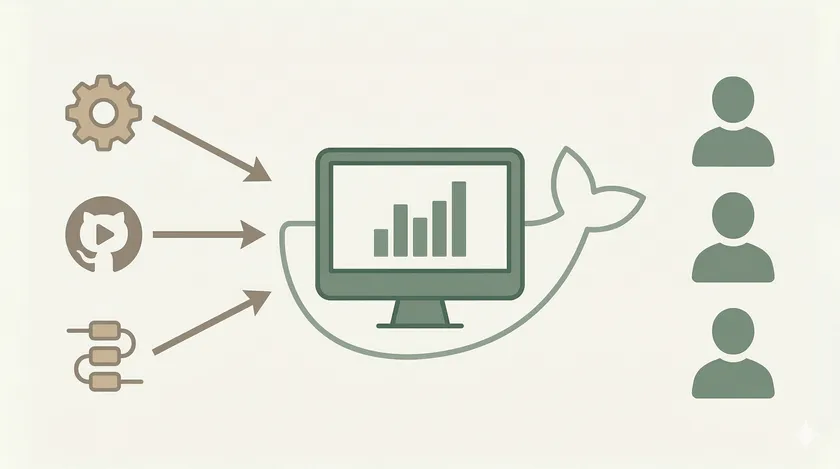
Table of Contents
The Jenkins Allure plugin solved our “emailed HTML reports” problem — until the product manager asked for the report link. “I don’t have a Jenkins account.” Neither did the manual QA team. Or the business analyst who wanted to check regression results before sign-off. We’d set up a proper report portal and then locked it behind a tool that half the stakeholders couldn’t access.
The fix was running Allure as a standalone Docker service. One container, one URL, no Jenkins dependency. Any CI tool — Jenkins, GitHub Actions, GitLab CI, even a local test run — can push results to it. Anyone on the network can view reports in their browser. No login walls, no downloads, no VDI friction.
Why Decouple Reports from Your CI Tool
The Jenkins Allure plugin is excellent for engineering teams that live in Jenkins. But it has three limitations that surface as your team grows:
- Access control mismatch. Jenkins access is gated by admin approval, VPN, and often role-based permissions. Giving a PM read-only access to reports means giving them a Jenkins account — which IT won’t do at most enterprises.
- Tied to one CI tool. If you have multiple pipelines across Jenkins and GitHub Actions, or if you’re mid-migration between CI tools, your report history is fragmented. Each tool has its own Allure setup with its own history.
- Jenkins downtime = no reports. When Jenkins is being maintained, upgraded, or just slow (which in enterprise environments is not rare), nobody can check test results.
Allure Docker Service solves all three. It’s a standalone report server that accepts results via REST API and serves interactive reports over HTTP. Your CI tool becomes a sender, not the host.
What You’ll Set Up
By the end of this post, you’ll have:
- An Allure Docker Service running on your server
- A REST API endpoint that any CI job can push results to
- A web UI showing reports with full history and trends
- A single URL you share with the entire team — no credentials needed
Step 1: Docker Compose Setup
The frankescobar/allure-docker-service image bundles the Allure CLI, a REST API, and a report viewer. There’s also a companion UI image that adds a cleaner dashboard on top.
version: "3.8"
services:  allure:    image: frankescobar/allure-docker-service    container_name: allure-report-service    environment:      CHECK_RESULTS_EVERY_SECONDS: 5      KEEP_HISTORY: 1      # Support multiple projects (e.g., regression, smoke, api-health)      OPTIMIZE_STORAGE: 1    ports:      - "5050:5050"    volumes:      - allure-results:/app/allure-results      - allure-reports:/app/default-reports
  allure-ui:    image: frankescobar/allure-docker-service-ui    container_name: allure-report-ui    environment:      ALLURE_DOCKER_PUBLIC_API_URL: "http://your-server:5050"      ALLURE_DOCKER_PUBLIC_API_URL_PREFIX: ""    ports:      - "5252:5252"    depends_on:      - allure
volumes: allure-results: allure-reports:Start it up:
docker compose up -dTwo URLs are now live:
- API:
http://your-server:5050— where CI tools push results - UI:
http://your-server:5252— where the team views reports
Step 2: Verify the Service Is Running
Hit the API health endpoint to confirm everything started correctly:
curl http://your-server:5050/versionYou should get back the Allure version. If you get a connection refused, check that the container is running with docker ps and that port 5050 isn’t blocked by a firewall.
Step 3: Create a Project
Allure Docker Service supports multiple projects — separate report histories for your regression suite, smoke tests, API health checks, etc. Create one via the API:
curl -X POST "http://your-server:5050/allure-docker-service/projects" \ -H "Content-Type: application/json" \ -d '{"id": "nightly-regression"}'This creates a project called nightly-regression with its own result storage and report history. You can create as many as you need — one per test suite, one per environment, whatever structure makes sense for your team.
Step 4: Send Results from Your CI Job
After your tests run and generate Allure results (the JSON files in target/allure-results), send them to the Docker service. This works from any CI tool — Jenkins, GitHub Actions, a cron job, even a developer’s local machine.
From a Shell Script (Works Anywhere)
#!/bin/bashPROJECT_ID="nightly-regression"ALLURE_SERVER="http://your-server:5050"RESULTS_DIR="target/allure-results"
# Clean previous results on the servercurl -X DELETE "$ALLURE_SERVER/allure-docker-service/clean-results?project_id=$PROJECT_ID"
# Send each result filefor file in "$RESULTS_DIR"/*; do  curl -X POST "$ALLURE_SERVER/allure-docker-service/send-results?project_id=$PROJECT_ID" \    -H "Content-Type: multipart/form-data" \    -F "results[]=@$file"done
# Generate the reportcurl -X GET "$ALLURE_SERVER/allure-docker-service/generate-report?project_id=$PROJECT_ID"
echo "Report: $ALLURE_SERVER/allure-docker-service/projects/$PROJECT_ID/reports/latest"
From a Jenkins Freestyle Job
Add an Execute shell build step after your Maven test step:
# Send results to Allure Docker Service after tests completebash ./scripts/send-results.shThat’s it. Your Jenkins job still runs the tests, but instead of (or in addition to) the Jenkins Allure plugin generating a local report, it pushes results to the standalone portal.
From GitHub Actions
    - name: Run Tests      run: mvn clean test
    - name: Send Results to Allure      if: always()      run: |        PROJECT_ID="nightly-regression"        SERVER="http://your-server:5050"
        curl -X DELETE "$SERVER/allure-docker-service/clean-results?project_id=$PROJECT_ID"
        for file in target/allure-results/*; do          curl -X POST "$SERVER/allure-docker-service/send-results?project_id=$PROJECT_ID" \            -H "Content-Type: multipart/form-data" \            -F "results[]=@$file"        done
curl -X GET "$SERVER/allure-docker-service/generate-report?project_id=$PROJECT_ID"Step 5: View the Report
Open the UI at http://your-server:5252 and you’ll see your project listed. Click it to see the full Allure report — dashboard, suites, graphs, timeline, categories. Same interactive experience as the Jenkins Allure plugin, but accessible to anyone with network access.
The direct link to the latest report for a project is:
http://your-server:5050/allure-docker-service/projects/nightly-regression/reports/latestBookmark it. Share it in your team’s Microsoft Teams or Slack channel. Pin it. This URL always points to the most recent report — no need to update the link after each run.
Multi-Project Setup
This is where the Docker approach really pulls ahead of the Jenkins plugin. On one of our projects, we had three separate test suites pushing to the same Allure server:
# Create separate projects for each suitecurl -X POST "http://your-server:5050/allure-docker-service/projects" \  -d '{"id": "regression-chrome"}'
curl -X POST "http://your-server:5050/allure-docker-service/projects" \  -d '{"id": "smoke-tests"}'
curl -X POST "http://your-server:5050/allure-docker-service/projects" \  -d '{"id": "api-health-check"}'
Each project has its own history, its own trends, its own URL. The UI dashboard shows all projects in one view — your QA lead can check the health of every suite without switching between Jenkins jobs or searching through emails.
Jenkins Plugin vs. Docker Service: When to Use Which
Both approaches solve the “emailed HTML reports” problem. Here’s how to choose:
| Criteria | Jenkins Plugin | Docker Service |
|---|---|---|
| Setup complexity | Lower — just install the plugin | Higher — Docker Compose + API integration |
| Access | Jenkins users only | Anyone on the network |
| CI tool dependency | Jenkins only | Any CI tool |
| Multi-project | One report per Jenkins job | Multiple projects on one server |
| History | Tied to Jenkins build retention | Independent retention policy |
| Maintenance | Jenkins manages it | You manage the Docker container |
Use the Jenkins plugin if your entire team has Jenkins access and you only use Jenkins for CI. It’s simpler and there’s nothing extra to maintain.
Use Allure Docker Service if stakeholders beyond engineering need report access, if you use multiple CI tools, or if you want report history that survives a Jenkins migration.
At one enterprise, we actually ran both — the Jenkins plugin for engineers who lived in Jenkins, and the Docker service for the broader team. The Docker service became the single source of truth within a month because it was the one URL everyone could access.
Before
Jenkins Allure plugin — engineers only, requires Jenkins account and VPN
After
Allure Docker Service — one URL, accessible to PMs, QA, BAs, anyone on the network
What I’d Do Differently
First, I’d set up basic authentication from the start. The Docker service has no auth by default — anyone who can reach the URL can see reports. For internal networks this is usually fine, but if your reports contain sensitive test data (customer names in screenshots, API responses with PII), put an Nginx reverse proxy in front with basic auth or integrate with your company’s SSO.
Second, I’d configure report retention immediately. Without OPTIMIZE_STORAGE, every report is kept forever. On a server running 3 projects with nightly builds, that’s ~1 GB per month of accumulated reports. Set OPTIMIZE_STORAGE: 1 in your Docker Compose (already included above) and configure max history length to keep the last 30-60 reports per project.
Third, I’d add a Slack notification at the end of the send-results.sh script that posts the report URL to the team channel. The portal is only useful if people know a new report is available. A Slack message with “Nightly regression complete — 96% pass rate — View Report” closes the loop perfectly.
Your Next Step
If you already have the Jenkins Allure plugin running, you’re halfway there — your tests already generate Allure results. Spin up the Docker Compose file on your automation server, add the send-results.sh script as a post-build step, and share the URL with your PM. The look on their face when they can check test results without asking you for a screenshot is worth the 20 minutes of setup.
Get weekly QA automation insights — no fluff, just battle-tested strategies from 10+ years in the trenches.
Can I run Allure Docker Service on the same machine as Jenkins?
Yes. They don’t conflict. Jenkins runs your tests and generates Allure result files. The Docker service is a separate container that receives those files via API and hosts the reports. They can share the same server — just make sure ports 5050 and 5252 aren’t already in use.
How do I back up report history?
The Docker Compose file uses named volumes (allure-results and allure-reports). Back these up with docker run --rm -v allure-reports:/data -v $(pwd):/backup alpine tar czf /backup/allure-backup.tar.gz /data. Schedule this weekly using Task Scheduler or a cron job.
Is Allure Docker Service free?
Yes. The frankescobar/allure-docker-service image is open-source and free. It’s a community project, not affiliated with Qameta (the company behind Allure TestOps, which is the paid enterprise product). The Docker service gives you report hosting and API — TestOps adds test case management, analytics, and integrations. For most teams, the free Docker service is more than enough.
Don't miss a thing
Subscribe to get updates straight to your inbox.

No spam · Unsubscribe anytime